Privacy requests and do not sell
How to use the Your Privacy Choices form, what each of the three requests does, how long we take, and how Global Privacy Control is handled.
4 min read
Before you start
- The phone number or email address you gave when you submitted an insurance inquiry
Tip
Keep the reference code from the confirmation screen for any follow up.
The Your Privacy Choices page lets anyone tell us to stop selling their information, limit how we use sensitive details, or delete what we hold. It is free, it needs no account, and the promises on it come from our Privacy Policy.
The three requests
Most requests come from a consumer whose insurance inquiry became a lead. They filled out a form somewhere else and we hold the record. A buyer can also use it about their own account.
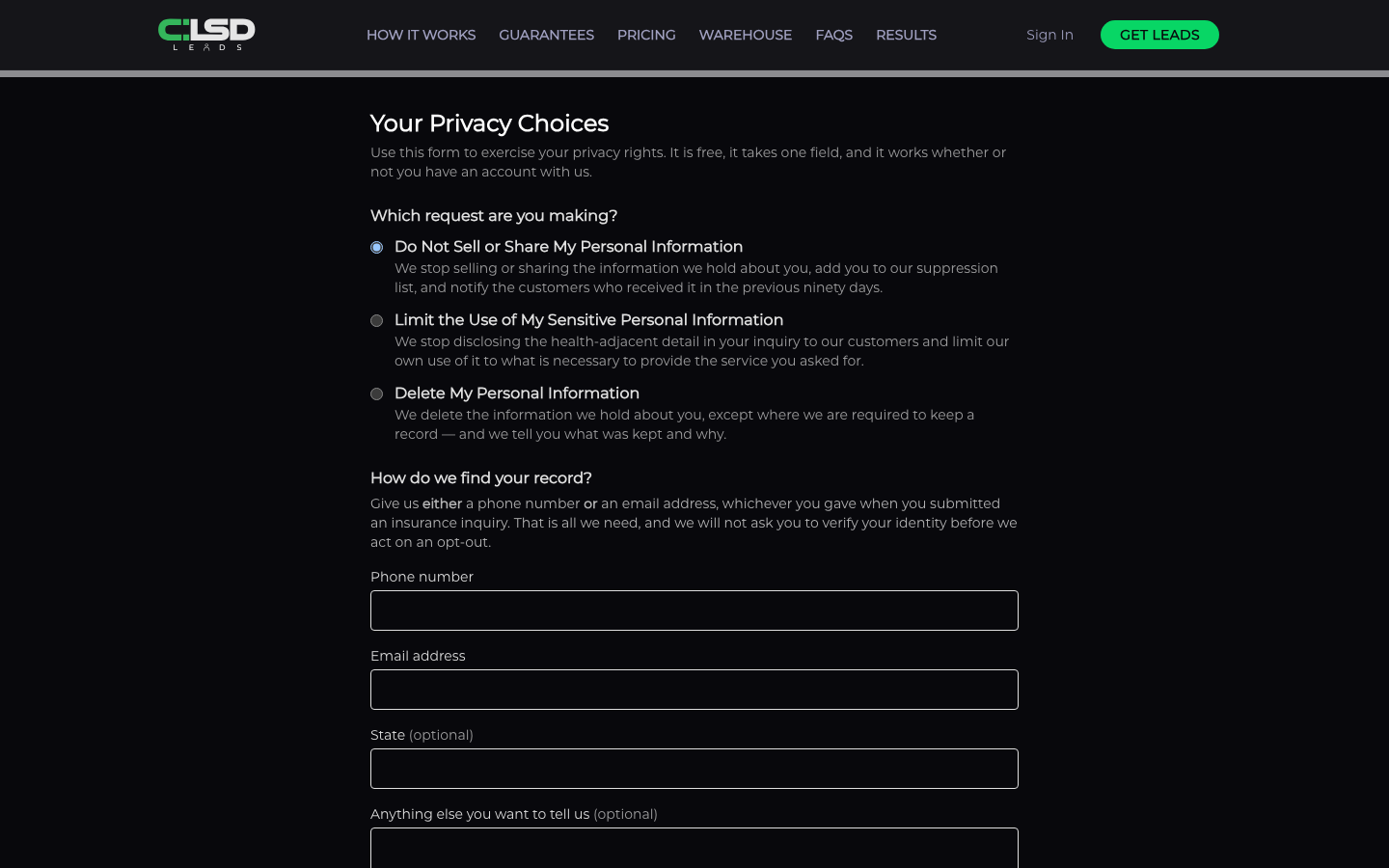
Under Which request are you making? the form lists three, each with its outcome beside it. The site footer links to the first two by name, with that request already selected.
- Do Not Sell or Share My Personal Information. We stop selling or sharing your information, add you to our suppression list, and notify the customers who received it in the previous ninety days.
- Limit the Use of My Sensitive Personal Information. We stop passing the health related detail in your inquiry to our customers and use it only to provide what you asked for.
- Delete My Personal Information. We delete what we hold about you, except records we are required to keep, and tell you what was kept and why.
Filling it in
Warning
A deletion cannot be undone. For the do not sell and limit requests we do not ask you to prove your identity, but the confirmation screen for a deletion reads "Because a deletion cannot be undone, we may first ask you to confirm that you are the person the information is about."
Step 1. Pick the request
Choose one of the three under Which request are you making?
Step 2. Tell us how to find your record
Under How do we find your record? the form asks you to "Give us either a phone number or an email address, whichever you gave when you submitted an insurance inquiry." Fill in Phone number or Email address. One is enough.
Step 3. Add anything optional
State and anything else you want to tell us are both optional.
Step 4. Click Submit my request
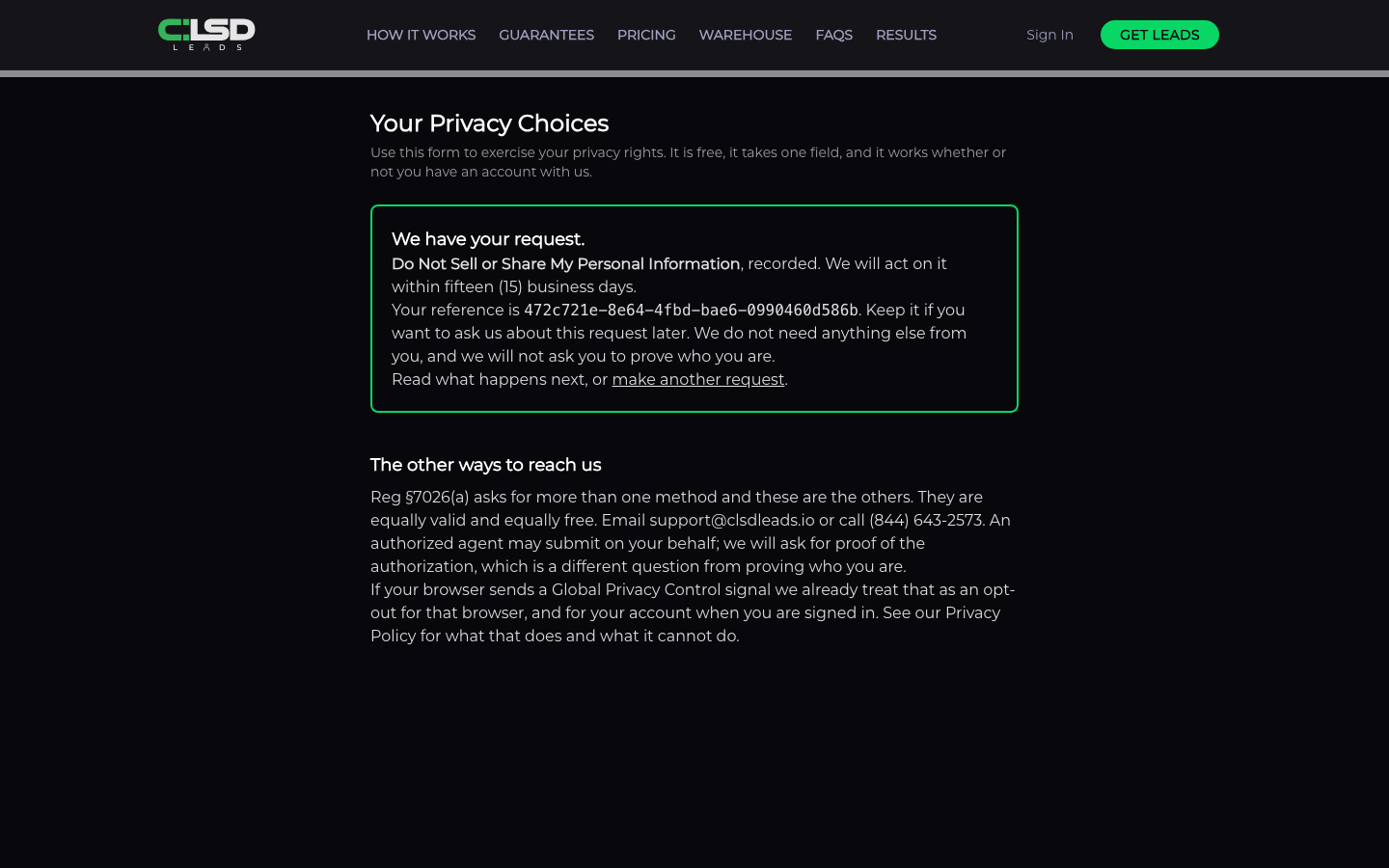
You get a confirmation that starts "We have your request." with a reference code. Keep the code for any follow up.
How long we take
We act on a do not sell or limit request "within fifteen (15) business days", and on a deletion "within forty-five (45) calendar days, and we will tell you if we need the one further forty-five (45) day extension the law allows".
Global Privacy Control
If your browser sends a Global Privacy Control signal, we treat it as a request to opt out and record it with the date we first saw it. The Privacy Policy page shows a line confirming the signal was seen and when we first recorded it. A browser signal only identifies the browser, so for a specific lead record use the form.
Frequently asked questions
Does opting out delete my information?
No. An opt out does not delete your information, so file the deletion request too if you want that.
Will the agent who already bought my information stop calling?
Not on its own, because an opt out does not stop an agent who already bought your information from calling you. Ask that agent to put you on their do not call list, and tell us so we can suppress the record.
I have a CLSD account. Does the request apply to it?
If you are signed in when you submit, the request is attached to your account. To delete the whole account, see Closing your account.
Can I make a request without the form?
Yes. For the first two requests you can email support@clsdleads.io with the request name as the subject line. For a deletion, email the same address and say what you want. Someone authorized to act for you can submit on your behalf, and we ask them for proof of that authorization.