Choosing a lead type
What lead types you can order, what each lead includes, and how the English or Spanish choice works.
4 min read
Before you start
- The order form open, from Order Leads at the top of any page
Tip
The cards under Lead Packages on the home page show each type's lowest price and the fields it lists, so check there before you pick.
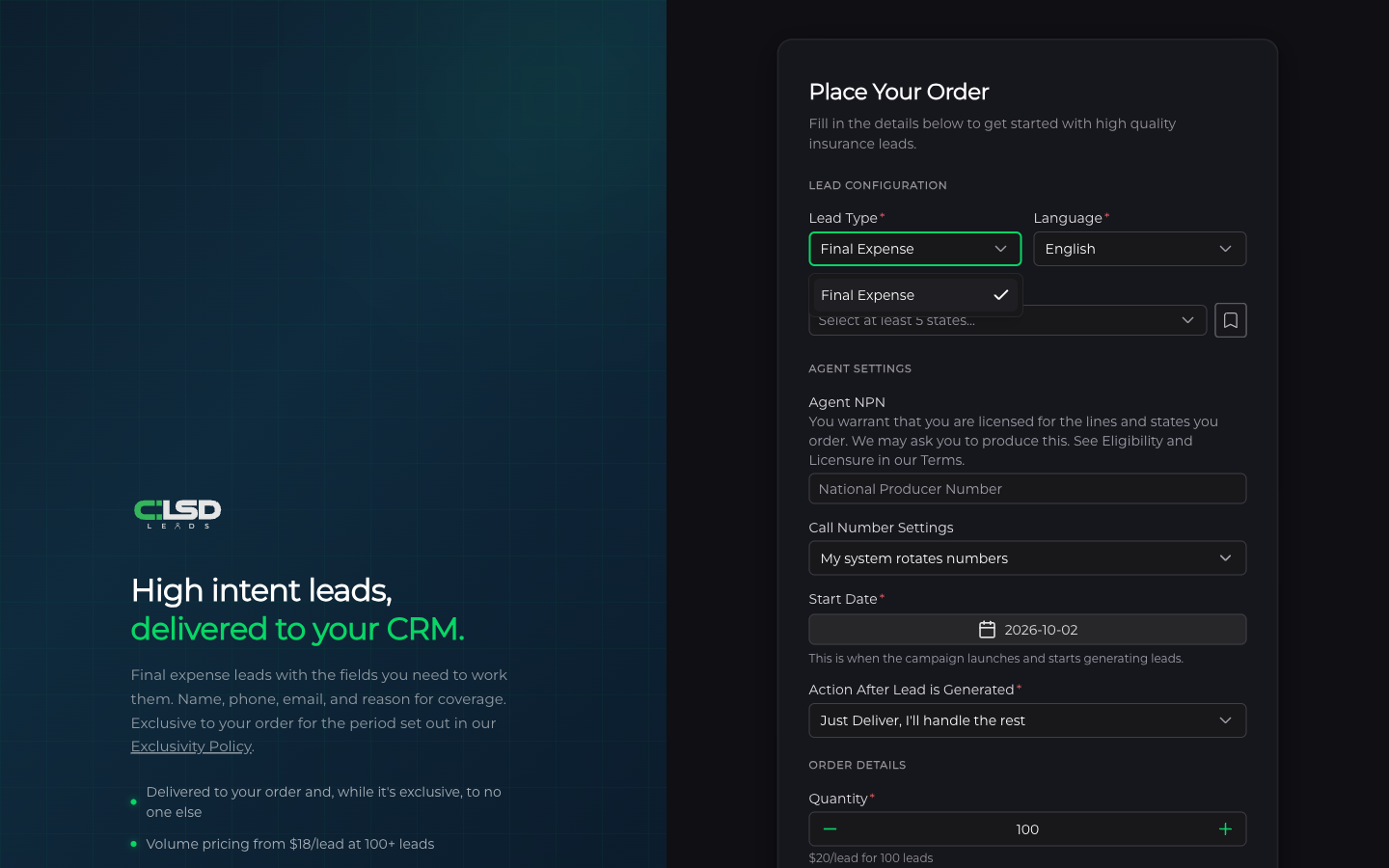
The first choice on any Premier order is the lead type. This article covers where the list comes from, what every lead carries, and what changes when you order in Spanish.
Where the list lives
Open the order form and look under Lead Configuration. The Lead Type menu lists every type we currently sell as fresh leads. We add and retire types over time, so the menu is the current list.
The home page shows the same types under Lead Packages. Each card carries the type name, an As low as price per lead (or Pricing coming soon for a type without a price yet), and up to eight of the fields listed for that type. One card carries a Most Popular badge. Clicking Order Leads on a card opens the order form, where you pick the type from the Lead Type menu.
What every lead includes
A delivered lead carries the same fields no matter which type you order. Here they are as they appear in your lead email, your Google Sheet, or your CRM.
- First Name and Last Name
- Phone and Email
- Received, the date and time the lead came in
- Amount of Coverage
- Timeline for Coverage
- State
- Beneficiary
- Purpose of Coverage
- Age
- Favorite Hobby
- Current Coverage
For how leads reach you, see How leads arrive over time and Viewing and exporting your leads.
English or Spanish
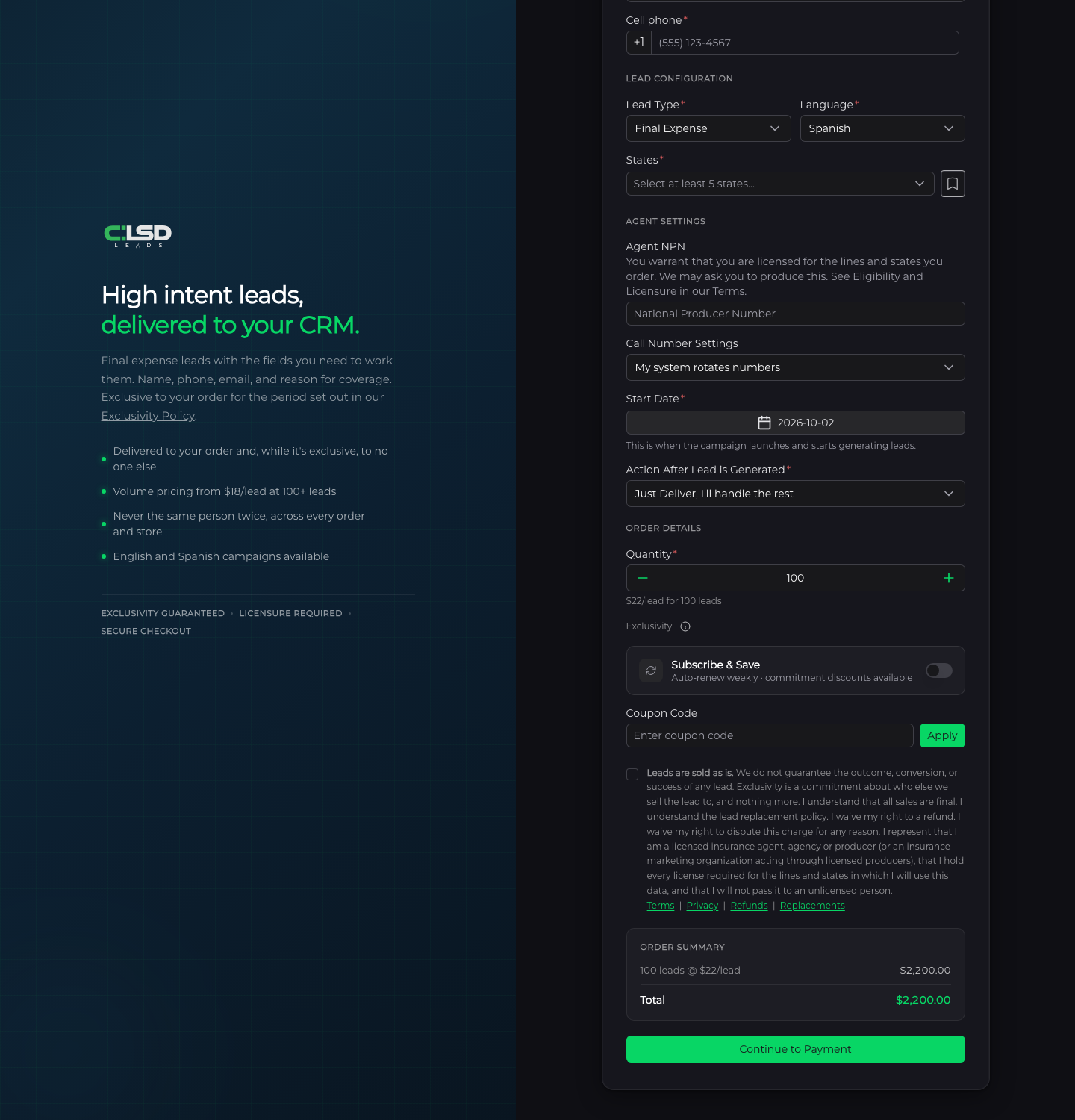
Next to Lead Type is Language. English is always available. Spanish is available on some types and not others. When a type does not offer Spanish, the menu shows English only and a note underneath reads Spanish leads aren't available for this lead type. If you had Spanish selected and switch to a type without it, the form moves you back to English.
Spanish leads cost a little more per lead. The Spanish rate is set per type and is shown on the order form. Choosing Spanish changes the per lead rate under Quantity, and the Order Summary line reads like 100 leads @ $22/lead with the Spanish rate already in it. Spanish orders also arrive with Spanish field labels, so First Name reads Nombre, Phone reads Teléfono, and so on.
Note
On the public order page there is no separate surcharge line to add up. The signed in form also shows a Spanish Surcharge line, which breaks out the surcharge part of the per lead rate. It is already inside the line above it and is not added a second time. Either way, the per lead rate you see with Spanish selected is the rate you pay.
Exclusivity comes with every type
Under the quantity on the order form you will see Exclusivity with an information icon. Every lead you buy is exclusive to you for a period, and while it is exclusive we do not sell or distribute it to another customer. For the plain version, read What exclusivity means.
Important
The exclusivity periods are stated in the Exclusivity Policy. That page is the one that governs, so read it before you count on a length.
Frequently asked questions
Why is a type I expected missing from the menu?
We add and retire types over time, so the menu is always the current list. If you do not see a type you expected, it is not available right now.
Can I order Spanish leads on any type?
No. Spanish is offered on some types and not others. If the type you picked does not offer it, the Language menu shows English only with the note Spanish leads aren't available for this lead type. underneath.
Are aged leads a lead type?
No. The types on the order form are Premier leads, generated for your order after it starts. If you want leads that already exist, the Premier Overflow and Warehouse stores sell them at lower prices. See Buying Premier Overflow leads and Buying aged leads in the Warehouse.
I picked a type. What is next?
Pricing comes next. See How pricing breakpoints work, then Placing an order and choosing a start date.